

Your band EPK link now has its own address
Your band EPK URL is your-band.bandvolt.com/epk. A free EPK maker on every tier, with a short EPK link you can email to promoters, venues and press.
By @KHeavy
A promoter emails on a Tuesday and asks for your EPK. The bio is in a doc, the photos are in someone else’s Drive, and the only link you have is a folder that asks them to sign in. Read an address like that down the phone to a venue and they ask you to spell it. Paste it into a festival form and it looks like a file dump, not a band.
The short answer: your EPK link is your band’s own address, your-band.bandvolt.com/epk. It comes from a free EPK maker on every tier, Basic and Premium. Open your band, go to the EPK tab, and use Copy Link on the Press Kit Page. That is the URL you email, put in a bio, and read out when someone asks.
More bands publishing a press kit with BandVolt are on the live EPK examples page.
Why a clean EPK link gets opened
A booker, a venue, a festival and a journalist all do the same thing with the message. They decide, in the time it takes to glance at it, whether to open the link. A short address with your name at the front looks like a page that is yours. It is easy to trust, easy to forward, and easy to find again in a crowded inbox.
That is the job of the address, before anyone has read a word of the bio:
- An email to a promoter, where the URL is the whole message after “here is the press kit”.
- A venue or a festival form that gives you one field and no room for a paragraph.
- A phone call, where someone has to write it down while you say it.
- A bio, an email signature, or a poster, where it has to be readable at a glance.
- A journalist who will paste it into a piece, and will not tidy a messy link for you.
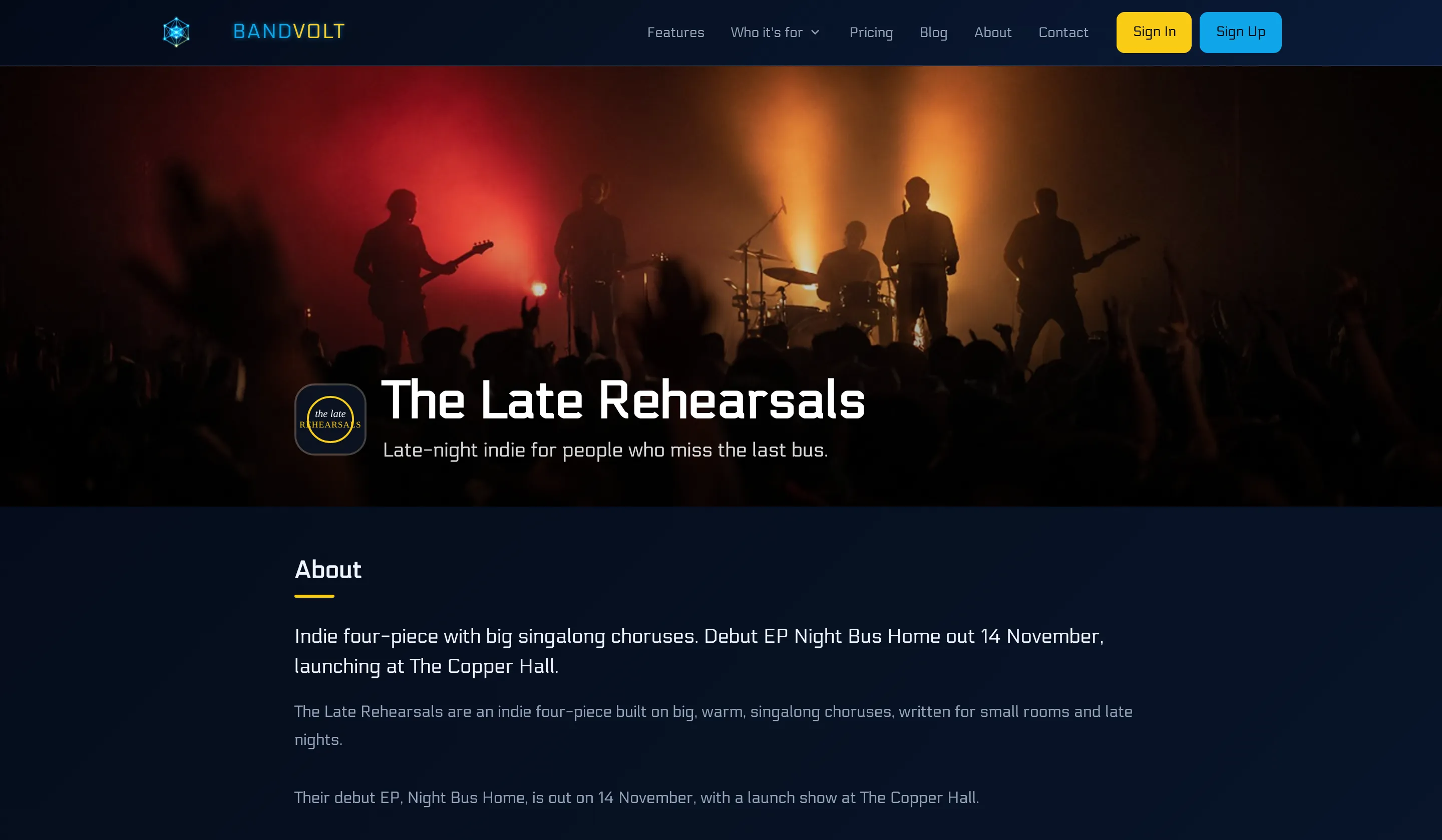
the-late-rehearsals.bandvolt.com/epk is the shape of it. Your name, then the site, then the page. You can say it once and they have it. You can put it on a flyer without it wrapping into nonsense. Your name comes first, so it reads as the band, not as a page buried inside a tool.
Pasted into Slack, WhatsApp or iMessage, the preview can show your band’s name, your tagline (or the start of the bio), and a picture when you have a hero photo, a press shot or a logo. The person on the other end sees the band before they tap. A search result can name the band the same way.
The page behind the link is the press kit: a bio, featured tracks that play in the page, photos, videos, a booking contact, and the shows you flag on the calendar. What belongs on it, and what a promoter actually reads in the minute they give it, is in what to put in a band EPK. This post is about the band EPK URL you send, and where you copy it from.
The address is your band’s name
The first time anyone in the band opens the EPK, BandVolt makes the address from the band’s name. You do not have to invent a URL, buy a domain, or stand up a website. The name is turned into a web address: lower case, spaces become hyphens, punctuation comes out. The Late Rehearsals becomes the-late-rehearsals. Cool Band! becomes cool-band. What is left is letters, numbers and hyphens, which is what you want on a poster and in an email.
If another band already has that exact address, yours gets a number on the end, such as the-loud-ones-2, so the two pages never share a link. You can edit the public URL afterwards if you want it shorter or clearer. Any member of the band can do that, on the same Press Kit Page card: change the part before .bandvolt.com/epk, then save. If the one you type is already taken, you are asked to pick another.
That is the whole mechanism. The link you send is the one on the card.
Where to find it, copy it, and share it
Open the band. On a computer, EPK is in the band navigation, alongside Songs, Setlists and Schedule. On a phone it sits under More, then EPK.
The Press Kit Page card is the first card on that tab. It tells you whether the page is published or still a draft, and it shows the public URL, Copy Link, and View Page.
Copy Link is the one you want in an email. It puts the full address on the clipboard, including https://, so you are not retyping hyphens on a phone. View Page opens the press kit in a new tab, which is how you check it looks right before you send it. View Page stays off until the page is published. Publishing needs a bio or at least one featured track, so an empty page never goes out under your name.
You can preview before you publish, and take the page offline again with the same switch when a lineup or a release is mid-change. Anyone with the link can open a published page. They do not need a BandVolt account, and they do not land inside the app. They land on the press kit.

Once it is copied, put it where people already look:
- The booking email, on its own line, under the one sentence that says what you are.
- The email signature of whoever answers promoter mail.
- The bio on your socials, where a festival booker will look you up by name.
- The form field that says “EPK” or “website” and gives you no second box.
Send the link. The page is the introduction, and the address is how they get there.
What you send, and to whom
The EPK introduces the band. A song link is “listen to this”. A collection link, on Premium, is the EP or album in order. When a label wants the record rather than the press kit, that split is in how to send your EP to a label. Send your music to anyone is the listen link on its own. A promoter booking a support slot will often start with the EPK alone: the story, the photos, and a way to reply.
The same EPK link is the one you send if you are a four-piece, a duo, or an ensemble. A pipe band, a brass band, a marching band or a community band uses it the same way: one page for a contest secretary, a festival, or a promoter who asked for the kit. The address is the band’s name. The page is whatever you put on it.
Featured tracks are tracks already in the library, so you are not uploading the music again. Upcoming shows are gigs you flag on the calendar. Edit the bio once, and everyone with the link sees the current page. That is why the address is worth putting somewhere permanent.
Before you send it
Run this once, when you first publish, and again when the story on the page has changed:
- Open the link yourself, on a phone, without being signed in. That is how a promoter will see it.
- The first track plays within a moment of the page loading.
- The booking contact is an inbox someone actually checks.
- The address in your email signature, your bio and your booking email is the one Copy Link gave you.
- The tagline is one line a stranger can understand. It is also the line that can show up when the link is pasted into a chat.
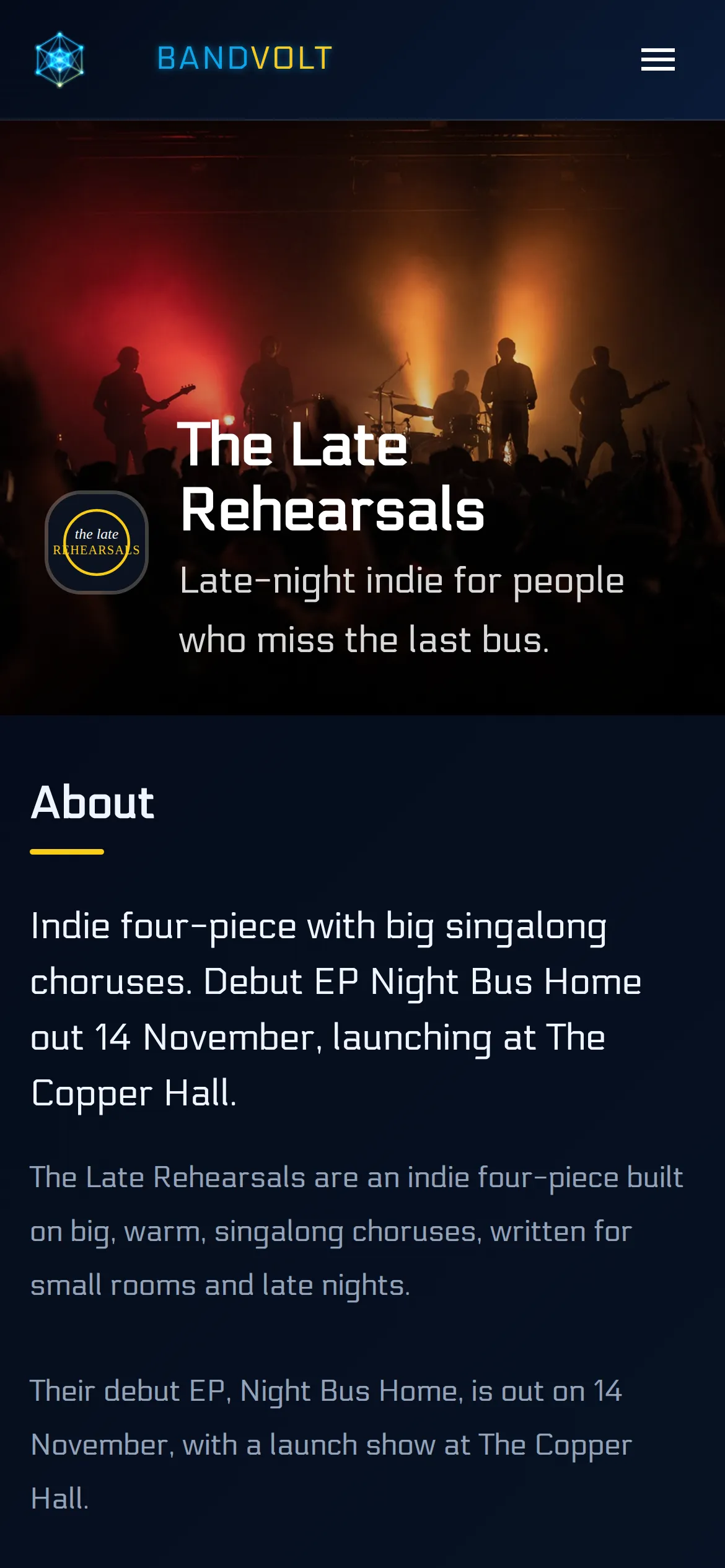
That phone check catches more than the other four. A headline that wraps badly, a contact that is the wrong person, a track that does not start: all of it is obvious in thirty seconds, and none of it is obvious from inside the editor.
The free EPK maker is where the page is built: bio, music, photos, contact, and publish. The steps, from an empty tab to a link you can send, are in how to make a free EPK. The address is the part a promoter can remember after the call, and the part you can put on a poster without explaining it.
When you are ready, sign up free and publish your press kit.
Frequently asked questions
What does my EPK link look like?
It is your band's name as a web address, then /epk. A band called The Late Rehearsals is the-late-rehearsals.bandvolt.com/epk. That is the link you copy and send.
Is the EPK free?
Yes. The electronic press kit is free on every BandVolt tier, Basic and Premium. Visitors do not need an account to open a published page.
Where do I find my EPK link?
Open your band and go to the EPK tab. On a phone it is under More. The Press Kit Page card at the top shows the public URL, with Copy Link and View Page. View Page is available once the press kit is published.
Can I change my EPK address?
Yes. Any member of the band can edit the public URL on the EPK tab, in the Press Kit Page card, then save that section. Use letters, numbers and hyphens. If another band already has that address, pick a different one.
Does a promoter need an account to open my EPK?
No. A published press kit is a public page. Anyone with the link can open it on a phone or a computer, with no BandVolt account and no sign-in.
Topics: EPK link · band EPK URL · free EPK maker · electronic press kit · band press kit