

Tech rider and stage plot: what to send a venue
What to put in a tech rider and a stage plot, and how to keep both on the gig so the 11pm email from the venue takes two minutes.
By @KHeavy · Updated 26 October 2026
The venue emails at 10:47pm. “Can you send the tech rider and a stage plot?”
You know the band has these. You made them. The rider is attached to an email from last spring. The stage plot is a photo of a whiteboard. The press shots are in a Drive that belongs to someone who left. Forty-five minutes later you send a rider that is one drummer out of date, and a plot that still has a keyboard player you have not had since March.
The short answer: send two current PDFs - a tech rider and a stage plot that match each other - plus a name and a phone number. Keep the master copies in the band’s shared files, and attach the copies for that show to the gig. The free EPK is a different document. It is what you send a booker. It is not what you send the sound engineer.
What the venue is actually asking for
The engineer has a desk to patch before you arrive. They want to know how many channels, what each one is, whether you are bringing the mic or they are, where people stand, and how many monitor mixes you need. They do not want your origin story.
Give them two short documents.
The tech rider is the list. One or two pages is enough for almost every club and support slot:
- Band name, and the date you last updated the document. An undated rider is how a venue patches last year’s band.
- One contact who will answer on the day. Name and mobile. Not a shared inbox nobody checks at load-in.
- The channel list, in the order you want it on the desk. Source, who plays it, mic or DI, and whether that mic is yours or the house’s.
- What you bring. Backline, in-ear rig, drum hardware, a laptop for playback. Be specific about the things that change the patch.
- What you need from the house. Spare vocal mics, DI boxes, a kick mic, power drops. If you do not write it down, you will discover the gap at soundcheck.
- Monitors. How many mixes, wedges or in-ears, and who is on which mix. “A bit of everything in everything” is not a monitor plot.
- Playback, if you have any. Click, backing tracks, a laptop output, and which channel it lands on.
Leave the drinks list off unless the promoter asked for hospitality. A rider that opens with pages of catering gets skimmed past the channel list.
The stage plot is the picture, drawn from above, with the audience marked so nobody has to guess which way is front. Each person, the drums, the amps, the monitors, the DI boxes. Input numbers on the plot should match the channel list. If the plot says the bass is channel 4 and the rider says channel 6, the engineer will pick one and you will find out which during the first song.
Update both when the lineup changes, not the week of the gig. A dep on a different amp is a one-line edit. A dep who is a surprise at load-in is a repatch.
Two files, not one folder of maybes
Bands lose this argument in the filing, not in the drawing.
Keep a current rider and a current stage plot as PDFs the whole band can open. PDF, because a venue laptop will open it, and a link that needs a login will fail on the wifi at the desk. Name them so a stranger can tell them apart: the band name, “tech rider”, “stage plot”, and a year if you revise them often.
When a room needs a different plot - a festival stage, a shared backline, a night you are not bringing the full rig - make that plot for the show and keep the master as the copy you start from. Do not overwrite the only file at 11pm.
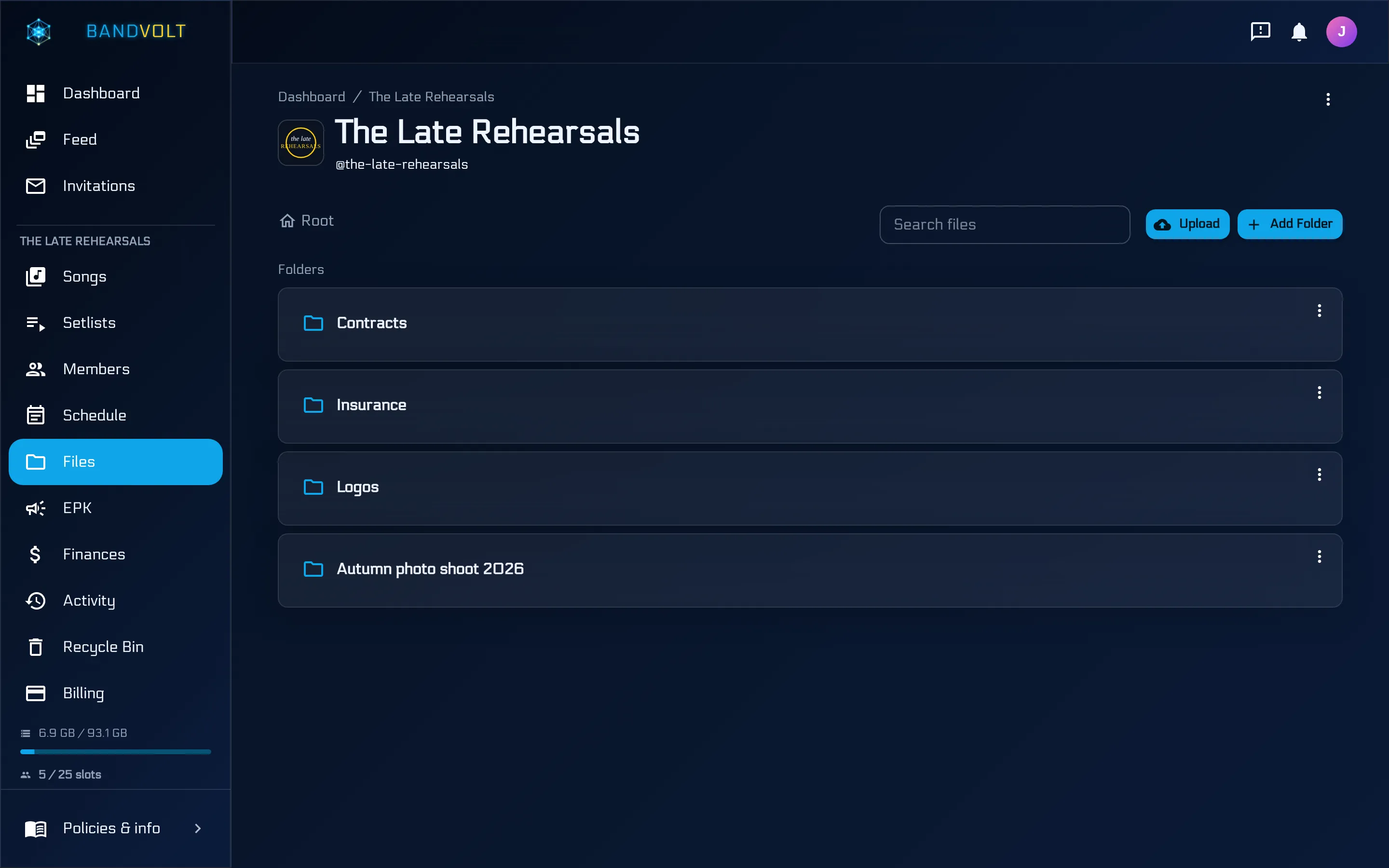
In BandVolt those files live in the band’s shared file storage. Folders, drag and drop, every member, stored as you uploaded them. The demo band’s folders are the ordinary version of this: contracts, insurance, logos, a photo shoot, rather than one pile called Misc. A live-docs folder with the rider and the plot is the same idea. Delete the folder the night before a gig and the recycle bin keeps it for 30 days.
The files belong to the band. Members come and go. The rider stays. A personal Drive is the same failure as the shared Google Drive and its one password.
Put the show’s copies on the gig
The master PDFs answer “what do we normally send?” The gig answers “what are we sending on Friday?”
On the shared calendar, add the show with the date, the time, the venue, and a description that already contains the three times the band will ask about: load-in, doors, and when you are on. Link the setlist from Edit Event, so the songs for that night travel with the booking. Then upload the rider and the stage plot on the event’s attachments.
The demo band’s headline at The Signal Box is exactly that shape. The description says doors at 7:30, on at 9, load-in at 5. The attachments are Rider.pdf and Signal Box stage plot.pdf. The setlist is linked on the same event, and you change it from Edit Event rather than from a separate spreadsheet.
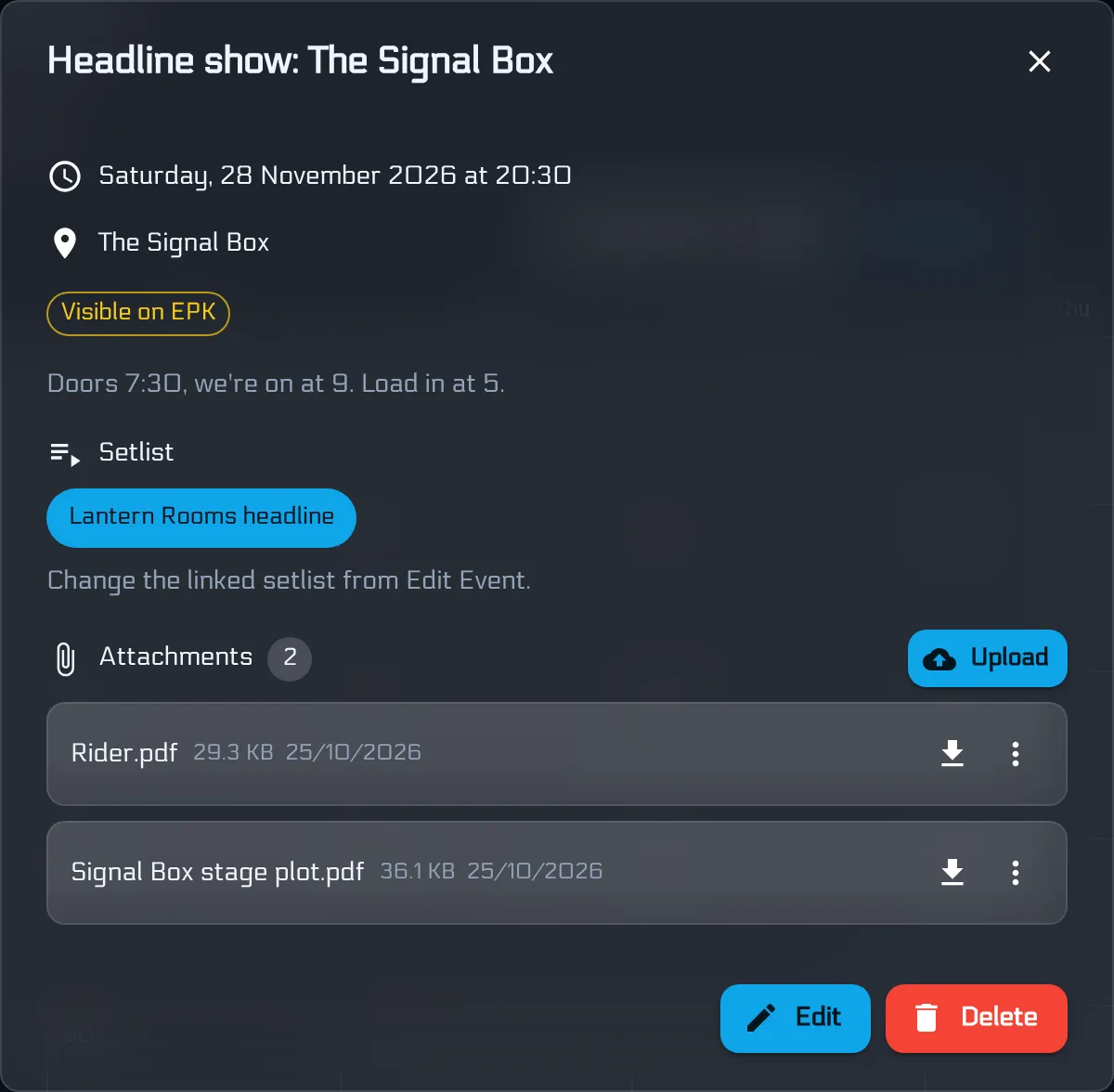
That split is the useful one. The rider is the band’s normal technical document. The stage plot is named for the room, because the room is what changes. Both sit on the event, so the 11pm reply is: open the gig, download the two PDFs, send them. Whoever is awake can do it.
The walkthrough video on this page is those calendar steps in the app: add the event, link the setlist, attach the rider, move the date if the promoter does. Building the set itself is covered in the five-minute setlist.
What you send the booker is a different link
The booker is deciding whether to put you on. The engineer is deciding how to patch you. The Electronic Press Kit is the page for the first job: bio, featured tracks, photos, videos, a booking contact, and upcoming shows from the gigs you flag. It is free on every tier, and nobody needs an account to open it. Do not put the channel list on it, and do not open the rider with the bio.
If they still want the press kit as a file, open the published page and use Print, then Save as PDF. What belongs on the page is in what to put in a band EPK.
The 10:47pm reply is the rider PDF, the stage plot PDF, and the EPK link for the poster. The load-in time is already on the event, so it can go in the email without a fourth document.
A ten-minute check before you call it current
Run this when you touch the documents, and again when anyone joins or leaves:
- The channel list and the stage plot use the same input numbers.
- Every channel says mic or DI, and whose mic it is.
- Monitor mixes match the people on the plot.
- The contact phone is someone who will actually pick up at load-in.
- The date on the rider is this lineup, not the last one.
- Both PDFs open on a phone, because that is what you will be holding in the venue car park.
Then put the masters in the band’s files, attach the show’s copies to the gig, and stop being the only person who knows where they are.
Frequently asked questions
What should a band send a venue before the show?
Two PDFs and a person who answers the phone. A tech rider with the channel list, what you bring, and what you need from the house, plus a stage plot that matches those channels. Put the load-in time, doors, and a mobile number in the message or on the gig. Hospitality can wait until they ask.
What is the difference between a tech rider and a stage plot?
The rider is the list: channels, mics or DIs, monitors, power, and backline. The stage plot is the picture: who stands where, where the drums and amps sit, and which input number is which. They have to describe the same show. A plot from two lineups ago will not match a current channel list.
Is an EPK the same as a tech rider?
No. An Electronic Press Kit is the public page for a booker or a journalist: bio, music, photos, videos, and a booking contact. The sound engineer needs the rider and the stage plot as files. Send the EPK link for the poster and the press shots, and attach the two PDFs for the desk.
Where should the rider live so anyone in the band can send it?
Keep the current PDFs in the band's shared files, and attach the copies for that show to the gig on the shared calendar. Then whoever is awake opens the event and sends what is already there, instead of searching an old inbox.
What if the venue wants a PDF of the press kit as well?
Send the EPK link first. If they still want a file, open the published page in a browser and use Print, then Save as PDF. The page stays the thing you update. The PDF is a copy of it on that day.
Topics: tech rider · stage plot · gig admin